
Every film starts as an idea. Every theatre production begins with a script, a rehearsal room, or a conversation between creatives who believe a story deserves to be told. The challenge is that bringing those stories to life often requires funding long before tickets are sold or audiences arrive.
For many independent filmmakers, theatre companies, student productions, and community arts projects in South Africa, traditional funding can be difficult to secure. Grants are competitive, sponsorships are limited, and production costs can quickly escalate.
That’s why many creatives are turning to platforms like backaBuddy for crowdfunding support to fund productions, build audiences, and bring their projects to life. Platforms like BackaBuddy make it possible to raise funds directly from supporters who believe in your vision, while also building a community around your work from day one.
Why Crowdfunding Works So Well for Creative Projects
Creative projects have one major advantage when it comes to crowdfunding: They already have a story. People don’t support films, plays, documentaries, or performances because they need funding. They support them because they connect with the message, the purpose, or the people behind them.
Crowdfunding transforms supporters into participants. Instead of waiting until opening night, audiences become part of the journey from the beginning.
For creatives, this can mean:
Raising production funding
Building an audience before launch
Testing whether an idea resonates
Maintaining creative independence
Creating a community of advocates who help share the project
According to the UNESCO Global Report on Cultural and Creative Industries, the creative economy contributes significantly to employment and cultural development worldwide, yet many independent creatives continue to face barriers to accessing traditional funding opportunities.
What Makes Creative Crowdfunding Campaigns Successful?
While every project is different, successful campaigns often share a few common characteristics.
They Tell a Story People Want to Be Part Of
People support creators as much as they support projects.
Before explaining budgets and production costs, help people understand why the project matters, what inspired it, and why you’re passionate about bringing it to life. A strong campaign story gives supporters something to connect with emotionally and a reason to care about the outcome.
A great example is Meat Thing, a short film by Reuben Goldblum that raised R22 917 from supporters, exceeding its R20 000 goal.
Rather than focusing only on fundraising, the campaign immediately introduced readers to the film’s unusual premise: a dark comedy about a lonely butcher whose grip on reality begins to unravel when a piece of meat starts talking back to him. The campaign then explained where the project was in its development journey and how support would help move it into production.
By giving potential donors a glimpse into the story, the creative vision, and the team behind it, supporters could see exactly what they were helping bring to life. You can find the campaign here.
Here is all you need to know about writing a successful campaign narrative.
They Show the Vision Visually
Creative campaigns should look creative. Supporters want to connect with the vision. This could include campaign images of:
Concept art
Rehearsal photos
Cast/crew if relevant to the campaign story
A campaign video
BackaBuddy allows campaign creators to embed YouTube videos directly onto campaign pages, making it easier for supporters to connect emotionally with a project.
Takeaway: People are more likely to support a project they can already imagine coming to life and that they can connect with.
For guidance on creating an effective campaign video, click here.
They Explain What Support Makes Possible
Supporters are more likely to contribute when they understand how their donation will help bring a project to life.
Whether funding equipment, venue hire, costumes, post-production, festival travel, or community arts programmes, clearly explaining what the funds will be used for helps build trust and allows donors to see the impact of their contribution.
Takeaway: People are more likely to support a creative project when they can clearly see how their contribution helps make it happen.
Building an Audience Before Opening Night
One of the most overlooked benefits of crowdfunding is audience development. When someone contributes to a campaign, they become emotionally invested in the outcome.
They’re more likely to:
Follow updates
Share the project
Attend screenings or performances
Recommend it to others
In many cases, your earliest donors become your strongest promoters.
Takeaway: Crowdfunding builds momentum long before launch day.
Keeping Supporters Part of the Journey
The most successful creative campaigns don’t stop communicating once donations start coming in. Supporters want to know:
When filming begins
How rehearsals are progressing
When milestones are reached
When the final production launches
BackaBuddy campaign updates make it easy to keep donors informed throughout the process. In the POPArt Theatre campaign, campaign creator Hayleigh used BackaBuddy’s built-in update section to keep donors informed.
Takeaway: Updates transform donors into long-term supporters.
Why BackaBuddy Works for Creative Crowdfunding
BackaBuddy provides creatives with a simple, flexible way to raise funds while focusing on what they do best: creating. Campaign creators can:
Launch dedicated campaign pages
Encourage donors with secure online donations
Share updates with supporters
Embed campaign videos from YouTube
Track fundraising progress in real time
Encourage supporters to share campaigns across social media
Most importantly, crowdfunding allows communities to become part of the creative process itself.
Creative projects have always depended on people who believe in stories. Crowdfunding simply makes it easier for those people to get involved. Whether you’re producing a short film, staging a theatre production, creating a documentary, or launching a community arts initiative, crowdfunding allows supporters to help transform an idea into something tangible.
And when a community believes in a story, remarkable things can happen.
Studying in South Africa is expensive. Even when you qualify academically, registration fees, historic debt, textbooks, laptops, transport, accommodation, and visas can stand between you and your dreams. Bursaries, NSFAS, and scholarships make a huge difference, but they don’t cover everyone. And even when they do, they don’t always cover everything.
That’s why more and more South African students are turning to online crowdfunding to close the gap, fund their studies, and stay on track to graduate. Platforms like BackaBuddy have helped thousands of students and education projects raise funds directly from friends, family, alumni, and even kind strangers who believe in the power of education.
If you’re facing financial stress as a student, here’s how you can fund your education through crowdfunding.
Setting Up Your Educational Crowdfunding Campaign on BackaBuddy
Over the course of a year, the campaign with a target of R285 000 raised more than R190 000 from 58 donors, helping both students reach graduation. Here’s how they did it:
Tell a Clear, Honest Story
People support people, not just fees. Andrea’s campaign wasn’t simply about tuition. It told the story of a family navigating financial hardship after eight months of unemployment, while two hardworking students balanced multiple jobs alongside their studies.
Supporters could immediately understand who needed help, why the funding mattered, and what was at stake if the funds weren’t raised.
💡Get the Guide: In this guide we give some great pointers on how to frame a powerful campaign story. Check it out here.
Explained the Need
Instead of asking for support without context, Andrea clearly explained what the funds would cover and why the shortfall existed.
She also highlighted the efforts Hannah and Alex were already making to support themselves through coaching, pet sitting, consulting, and other part-time work. This helped donors see that the family was doing everything possible and simply needed help bridging the final gap.
Use Social Media to Build Momentum
Crowdfunding doesn’t happen in isolation. Throughout the campaign, Andrea regularly shared updates and personal reflections on her campaign as well as on social media, helping friends, family, and wider networks follow the journey and share it with others.
Those updates kept the campaign visible and gave supporters a reason to stay engaged.
Keep Supporters Updated
One of the most effective things the family did was continue communicating long after the campaign launched. When they entered the final stretch and needed corporate sponsorships to close the remaining funding gap, they posted an update explaining exactly where things stood and what was still needed.
Later, they shared the outcome everyone had been hoping for: “Yesterday, Hannah and Alex both graduated.” That update transformed donors from contributors into part of the success story.
Show the Impact of Support
People want to know that their contribution made a difference. In this case, supporters could see a direct outcome. Alex graduated with her BA in Film Art (3D Animation & Screenwriting), while Hannah completed her postgraduate qualification in Visual Communication and graduated as the top postgraduate student.
The campaign didn’t just help cover fees. It helped two young women complete their studies and step into the next chapter of their careers.
Make It Easy for Others to Help
Not everyone can donate, but almost everyone can share.
The campaign consistently encouraged supporters to spread the story within their own networks, helping the appeal reach beyond immediate friends and family. On BackaBuddy, every share creates another opportunity for someone new to discover a campaign and contribute towards its goal.
As Hannah and Alex’s journey shows, educational crowdfunding is often most successful when communities come together around a story, sharing it, supporting it, and celebrating the outcome together.
Real Examples of Educational Crowdfunding in Action
The best way to understand what makes an educational crowdfunding campaign successful is to look at real examples. While every journey is different, these campaigns show how communities can come together to unlock opportunities that might otherwise be out of reach.
1. Investing in a Future Doctor
When third-year medical student Mpho Mashego faced outstanding university fees, she turned to BackaBuddy to share her story.
Growing up in rural Bushbuckridge, Mpho’s dream was always to return home as a doctor and serve communities where healthcare resources are limited. She openly shared the sacrifices she had already made, including leaving a stable career as a medical scientist to pursue medicine full-time.
Her campaign raised R93 100 from just 15 donors, proving that educational crowdfunding doesn’t always require hundreds of supporters. Sometimes, a small group of people who believe deeply in your vision can make all the difference.
Lesson: Don’t underestimate the power of your close network. A clear purpose and authentic story often inspire meaningful support.
Educational crowdfunding isn’t only about tuition fees.
When Raul Muzokura secured a 50% scholarship to study Optometry in India, the remaining costs still placed significant pressure on his family. Family friend Lindy Borchers stepped in to launch a campaign on his behalf, helping raise the additional funds needed to make the opportunity possible.
The campaign exceeded its goal, raising R51 100 from 26 donors.
This is a great example of how BackaBuddy’s Champion model can be used for educational causes. Sometimes the person benefiting from the campaign isn’t the one doing the fundraising. Friends, family members, mentors, or community supporters can step forward to help carry the story and rally support.
Lesson: If someone believes in your potential, they can become one of your greatest advocates.
3. Creating Educational Impact for an Entire Community
Some educational campaigns extend far beyond helping a single student.
Fifteen-year-old Mia Braun launched Stroke For Hope after learning that dozens of children drown in the Western Cape every year. Instead of fundraising for herself, she set out to raise money for Glide Along Aquatics, helping children from Atlantis access swimming lessons and water safety education.
Her campaign raised R127 946 from 88 donors, exceeding its target and helping fund opportunities that could ultimately save lives. This is another powerful example of champion fundraising in action. Mia chose a cause she cared deeply about, set a goal, and mobilised her community around it.
Lesson: Educational crowdfunding can support schools, programmes, community initiatives, and skills development projects, not just individual students.
Whether it’s a future doctor clearing fees, a student pursuing international study opportunities, or a young champion raising funds for community education, the common thread is simple: people support stories they believe in.
The most successful educational crowdfunding campaigns aren’t necessarily the ones with the biggest networks. They’re the ones that clearly communicate the opportunity, explain the impact, and make it easy for others to get involved.
You Don’t Have to Walk This Alone
If you’re a student in South Africa facing funding challenges, whether it’s registration fees, historic debt, books, laptops, bursaries, or study material, you don’t have to carry it alone. Crowdfunding on BackaBuddy can give you the opportunity to:
Share your story
Invite community support
Turn belief into action
Thousands of students have already done it. You can start your own verified crowdfunding campaign in just a few simple steps. Because education shouldn’t stop at affordability, and your dream deserves a chance.
For many parents, school fundraising can sometimes feel like a second job. From bake sales to raffle tickets and all the civvies day in between, parents and teachers are left to juggle all of it. While traditional school fundraising ideas still work, when schools need to fund something bigger — like upgrading classrooms, replacing ageing computers, improving sports facilities, or buying educational resources — traditional fundraising can only go so far. That’s why more PTAs and school communities are exploring crowdfunding for school projects.
Across South Africa, many schools continue to face infrastructure and resource challenges that directly affect learners and educators. According to theBasic Education Handbook on School Infrastructure and Equipment in South Africa, access to proper facilities and learning resources remains an important part of creating supportive learning environments.
With the right support and a clear goal, crowdfunding can help schools bring important projects to life.
What Is Crowdfunding for School Projects?
Crowdfunding for school projects is the process of raising money online from parents, alumni, businesses, and supporters to fund educational initiatives and school improvements. Unlike traditional fundraising events, crowdfunding allows schools to reach people beyond their immediate community while making donations simple, transparent, and easy to share.
For many PTAs, it has become one of the most effective modern school fundraising ideas because it allows communities to directly support projects that improve learners’ daily experiences.
👉 See it live: Check out this live example from The Wartburg Kirchdorf School. They’re fundraising for a school pool.
Should Your School Start a Crowdfunding Campaign?
School fundraising events usually depend on the same group of people showing up again and again. Crowdfunding allows schools to reach beyond their immediate communities, and mobilise networks of support like:
Alumni
Grandparents
Local businesses
Former teachers
Extended family members
Community supporters
Families living overseas
Because donations happen online, supporters can contribute quickly and easily from anywhere in the world. When people understand how a project could improve learners’ day-to-day experiences, they’re often far more willing to help. Many school communities already have people who genuinely want to contribute. Often, they simply need a clearer and more accessible way to do it.
How to Start a Crowdfunding Campaign for Your School
1. Start With One Clear Fundraising Goal
One of the biggest mistakes school fundraising campaigns make is trying to raise money for too many things at once. Before launching a campaign, sit down with school leadership and identify:
One urgent need
One realistic fundraising target
One project that will visibly improve the learner experience
Specificity builds trust. People are more likely to support a fundraiser when they can clearly picture the outcome.
2. Tell a Story People Can Connect With
At the heart of every successful fundraising campaign is human connection. People donate because they care about people — especially children and opportunities that can shape their futures. Your campaign page should feel honest, personal, and genuine. It shouldn’t read like a formal budget report or a school memo.
Instead of only explaining what the school needs, explain why the project matters. Ask questions like:
How will this project improve learners’ daily experiences?
What opportunities will students gain?
What challenges does the school currently face?
What happens if funding never arrives?
People are much more likely to support a campaign when the story feels relatable and real.
Strong visuals can make a significant difference to how people respond to a fundraiser. You don’t need professionally produced videos or expensive photography. Sometimes a simple smartphone video featuring:
Learners
Teachers
PTA members
School staff
Photos and videos help supporters better understand the impact the fundraiser could have.
3. Build Momentum Before Sharing Publicly
One of the biggest misconceptions about crowdfunding for school projects is that you can simply launch a fundraiser and expect strangers to find it. In reality, the strongest fundraising campaigns usually grow from the inside out. Think about supporters in three circles:
Your Inner Circle
Who: PTA members, teachers, and close school families
What: They help create early momentum with the first donations.
The Second Circle
Who: Alumni, grandparents, extended family, broader parent body
What: They expand the campaign’s reach by sharing it online.
The Outer Circle
Who: Local businesses, neighbours, community supporters
What: They are more likely to contribute once they see visible support and activity.
Before promoting the campaign publicly, it helps to make sure your inner circle has already contributed to and shared the fundraiser. When people land on a campaign page that already has donations, comments, and visible support, it naturally feels more trustworthy.
👉 See it live: Campaigns likeWacky Windows – Finish Classrooms, Build Hope! show how communities can come together to support meaningful educational projects. Launched to help complete classrooms for learners in Jeffreys Bay, the campaign demonstrates how school community fundraising can directly improve learning environments and create long-term impact for students.
4. Don’t Overlook Local Businesses
When thinking about how PTA can fund school projects, local businesses are often one of the most overlooked opportunities. Many neighbourhood businesses genuinely want to support schools because it strengthens local relationships, builds goodwill, and aligns their brand with positive community impact.
Instead of simply asking for donations, try to create partnerships that feel beneficial for everyone involved. For example, schools can:
Feature sponsors in newsletters
Thank businesses publicly on social media
Include logos on campaign materials
Recognise supporters at school events
Even one business sponsor or matched donation can help build meaningful momentum for a fundraiser.
5. Keep Donors Updated Throughout the Campaign
One of the most overlooked parts of crowdfunding for school projects is communication after the donations start coming in. The moment someone contributes to a fundraiser, they become invested in the school’s story and progress. Regular updates help supporters feel included and reassured that the campaign is moving forward. Share updates like:
Fundraising milestones
Behind-the-scenes progress
Photos of the project underway
Learner reactions
Completion updates
Keeping supporters informed helps maintain trust and encourages ongoing engagement throughout the campaign.
Practical Examples of School Projects
Some of the most successful education donation campaigns focus on:
Classroom upgrades
Library improvements
Sports equipment
Computer labs
Feeding programmes
Educational resources
Playground renovations
The clearer the project feels, the easier it becomes for supporters to understand why it matters.
Common Mistakes School Fundraising Campaigns Should Avoid
Even strong fundraising campaigns can lose momentum if a few important details are overlooked. Some of the most common mistakes include:
Launching campaigns before securing early donations
Setting vague fundraising goals
Using poor-quality visuals
Failing to post regular updates
Running campaigns for too long without creating urgency
Making donation pages too text-heavy
Most of these challenges are easy to avoid with thoughtful planning and clear communication.
Every School Project Starts With One Story
Meaningful school improvements don’t always require years of exhausting fundraising events. With the right story, a united support base, and a clear goal, crowdfunding for school projects can help PTAs raise funds while bringing communities together around something meaningful.
Whether a school is raising money for classroom technology, sports facilities, feeding programmes, library upgrades, or educational resources, every successful campaign starts with one simple thing: helping people understand why the project matters.
Every learner deserves access to an environment where they can learn, grow, and feel supported. Learn more about creating a fundraising campaign on BackaBuddy and explore ways your school community can work together to support meaningful projects.
Every year, across South Africa, wildlife organisations, rehabilitation centres, sanctuaries, and conservation teams are faced with the same difficult reality: the need for urgent action rarely arrives with guaranteed funding.
An injured animal cannot wait months for support. A rescue operation cannot pause while organisations search for resources. Rehabilitation, emergency veterinary care, anti-poaching efforts, habitat protection, and long-term conservation all require immediate and ongoing funding.
That’s where wildlife crowdfunding can become an important tool to raise ongoing funds for these causes.
More than just fundraising, crowdfunding creates a way for ordinary people, individuals, or organisations to actively participate in protecting wildlife. Crowdfunding for these causes can transform concern into tangible action, allowing communities to directly support the people and organisations working tirelessly behind the scenes to rehabilitate injured animals and protect endangered species. And increasingly, platforms like BackaBuddy are helping make that support possible.
Why Animal Rehabilitation Needs Public Support
Wildlife rehabilitation is often emotionally demanding, logistically complex, and financially expensive. Behind every rescued animal is an entire network of care:
Emergency response teams
Veterinarians
Rehabilitation specialists
Feeding programmes
Medical treatment
Transport
Long-term monitoring
Habitat support
For many organisations, these costs continue long after public attention fades.
Unlike larger institutions with substantial funding structures, many rescue centres and conservation organisations rely heavily on donations to continue operating consistently. This is especially true during emergencies such as droughts, wildfires, flooding, or poaching crises, where needs escalate rapidly.
That’s why animal rehabilitation fundraising has become such a critical part of conservation work in South Africa.
How Wildlife Crowdfunding Creates Real Impact
One of the most powerful things about wildlife crowdfunding is that it allows people to support conservation in practical, immediate ways. A donation is rarely just a donation. It may help:
Feed orphaned wildlife
Fund rehabilitation equipment
Cover veterinary treatment
Support anti-poaching patrols
Provide emergency transport
Expand long-term conservation efforts
And because crowdfunding campaigns are visible and shareable, they also help conservation stories reach wider audiences who may never otherwise engage with wildlife rehabilitation work.
Wildlife campaigns on BackaBuddy often become more than fundraising pages. They become educational spaces where people can understand the realities facing wildlife organisations and see exactly how support translates into impact.
Guardians of Eden
🎥 One example of this is the Guardians of Eden campaign run by Eden to Addo.
The campaign focuses on protecting and preserving South Africa’s wildlife and natural heritage through long-term conservation support. What makes this initiative especially meaningful is its sustainability model. Rather than relying only on once-off donations, the organisation has built a recurring donor community through the Donors for Life cohort, creating more predictable, long-term support for ongoing conservation work.
This kind of monthly giving structure can have extraordinary long-term impact. Even smaller recurring donations, when sustained over several years, create stability that allows organisations to plan proactively instead of constantly reacting to crises. Importantly, the campaign also uses storytelling and visual content effectively to help supporters feel connected to the mission. Check it out here.
The success of campaigns like this highlights something important: people want to support causes where they can clearly see the purpose, transparency, and long-term impact of their contribution. You can find the Guardians of Eden campaign here.
When Crisis Hits: Panthera Africa’s Wildfire Appeal
Wildlife crowdfunding also becomes especially critical during emergencies.
In January 2026, Panthera Africa launched an emergency wildfire appeal after devastating fires threatened animals and infrastructure. Campaigns like this demonstrate how quickly communities can mobilise when conservation organisations face urgent situations. In moments where time matters, crowdfunding allows support to happen immediately:
Donations can be processed quickly
Campaigns can be shared widely
Updates keep supporters informed in real time
That speed can make a meaningful difference during rescue and rehabilitation efforts. To see the impact made you can find the Panthera campaign here.
Why Crowdfunding Works So Well for Wildlife Rescue Fundraising
The success of wildlife campaigns often comes down to one thing: emotional connection. People care deeply about animals and conservation, but they also want to understand:
What happened
What’s needed
How their support helps
What impact their donation will make
Crowdfunding creates a direct line between organisations doing the work and the people who want to support them. They turn supporters into champions. Some conservation campaigns grow because people don’t just donate, they actively rally others around the cause.
BackaBuddy allows supporters to create their own fundraising campaigns for organisations they care about. These are called Champion campaigns. A supporter chooses an organisation, sets a fundraising target, creates their own campaign, and then encourages their community to get involved.
Project Rhino is a great example of this in action. Supporters have taken on personal challenges like long-distance swims, endurance walks, and community fundraising efforts to raise money for rhino conservation through the organisation’s BackaBuddy profile.
This kind of fundraising expands conservation efforts far beyond a single organisation’s network. It gives everyday supporters a practical way to become part of the mission and helps conservation causes reach entirely new communities.
On BackaBuddy, campaigns are designed to make that connection feel human and accessible:
Real-time fundraising totals show momentum
Supporters can share campaigns easily
Organisations and champions can post updates and progress
Recurring donations allow for sustainable support
Stories remain visible and easy to follow
These features help campaigns grow beyond immediate donor circles and build communities around conservation work.
4 Elements of a Successful Wildlife Rehabilitation Fundraising Campaign
For organisations wondering how to raise money for wildlife rehabilitation, some of the most successful campaigns tend to share a few common traits.
Focus on storytelling
People connect with real stories, not abstract conservation problems.
During Panthera Africa’s wildfire campaign, regular updates about rescued animals like Arabella helped supporters stay emotionally connected to the journey. By sharing recovery updates through social media and campaign update posts, donors could see the direct impact of their support in real time.
Show impact clearly
Regular updates can make a big difference here. Campaign creators can post updates directly from their BackaBuddy profile or send them to the BackaBuddy updates team, who can distribute a single update email to all donors. Once a campaign gains momentum, sharing updates on social media can also help strengthen emotional connection and encourage further support. We’ve put together a guide with everything you need to know about keeping donors engaged throughout the journey here.
Use visuals effectively
Strong visuals and videos help people emotionally connect to the story and see the real impact of their support, whether that’s rescuing injured wildlife, funding treatment, or protecting habitats. BackaBuddy allows campaign creators to embed YouTube videos directly onto their campaign pages, helping conservation stories feel more personal and engaging.
Many wildlife crowdfunding campaigns grow because supporters become advocates, sharing the campaign far beyond the organisation’s immediate audience. Encouraging people to share a campaign, even if they can’t donate, can significantly increase visibility and help conservation stories reach entirely new communities.
BackaBuddy’s platform is designed to support exactly these kinds of campaigns, helping conservation organisations focus on the work itself while making fundraising easier to manage and share.
Conservation Is a Shared Responsibility
The reality is that wildlife conservation cannot rest solely on the shoulders of rangers, veterinarians, rescue teams, or nonprofits. Protecting wildlife is something that increasingly requires collective participation. That participation may look different for everyone:
Donating monthly or once off.
Sharing campaigns.
Sponsoring rehabilitation efforts.
Supporting emergency appeals.
Raising awareness online.
But together, these actions create something much bigger than individual contributions. They create sustainability. They create continuity of care. And sometimes, they create a second chance for animals that would not otherwise survive.
Support Wildlife Conservation on BackaBuddy
If you’d like to support wildlife rehabilitation, rescue efforts, or conservation campaigns across South Africa, explore active causes on BackaBuddy here.
Receiving your first donation on a crowdfunding campaign is an incredible moment. It means someone believes in your story, your cause, or the impact you’re trying to create. But while many campaign creators focus heavily on getting donations, the real secret to long-term success lies in what happens after someone gives.
Donor engagement doesn’t end with a contribution; it's where the relationship truly begins.
Keeping your donors informed, appreciated, and connected to your journey not only builds trust but also encourages continued support, sharing, and future giving. Whether you’re raising funds for medical care, education, sport, or a community initiative, strong donor relationships can make a lasting difference.
Here’s how to keep your donors engaged long after their first donation.
1. Say Thank You, Immediately and Sincerely
Gratitude is the foundation of donor relationships.
When someone donates, they are placing their trust in you. A sincere thank-you message shows that their contribution matters and that you appreciate their support.
This can be as simple as:
Posting a thank-you update on your campaign page
Sending a personal message where possible
Acknowledging supporters publicly on social media
The key is authenticity. Donors don’t expect perfection, they simply want to know their support is valued.
2. Share Progress and Milestones
Donors love seeing how their contributions are making an impact. Use your campaign updates to celebrate progress, whether it’s reaching a percentage of your goal or achieving an important step in your journey.
For example:
Reaching 25%, 50%, or 75% of your target
Receiving equipment or treatment
Starting a new phase of a project
Preparing for an event or opportunity
Milestone updates remind donors that their support is part of something meaningful.
3. Show the Impact of Their Support
People give because they want to help create change. Whenever possible, show the tangible results of the donations you’ve received. Share photos, videos, or updates that illustrate how the funds are being used.
Crowdfunding is about community. Instead of treating donors as once-off contributors, invite them to remain part of the story. You can do this by:
Sharing behind-the-scenes moments
Asking supporters to share the campaign
Posting updates about progress and challenges
Celebrating achievements together
When donors feel connected to the journey, they are more likely to remain engaged.
5. Be Transparent and Honest
Transparency builds trust. If plans change, challenges arise, or timelines shift, communicate openly with your supporters. Honest updates reassure donors that you respect their contributions and are committed to using funds responsibly.
Even difficult updates can strengthen relationships when handled with openness and gratitude.
6. Celebrate the Community Behind the Campaign
Every successful crowdfunding campaign is powered by people. Recognising the role of your community can help reinforce a sense of collective achievement. Consider acknowledging:
The number of donors who supported the campaign
Special messages from supporters
The broader community that helped share the story
This reminds donors that they are part of something bigger than a single contribution.
7. Continue Sharing Even After the Campaign Ends
Your story doesn’t end when the fundraising goal is reached. Many donors appreciate follow-up updates that show how the journey continues. Sharing long-term outcomes, progress, or achievements helps maintain trust and leaves supporters with a lasting sense of impact.
These updates also make it easier to reconnect with your community if you launch future initiatives.
Why Donor Engagement Matters
Keeping donors engaged has benefits beyond the current campaign. When supporters feel informed and appreciated, they are more likely to:
Share your campaign with others
Support future fundraising efforts
Become long-term advocates for your cause
In many cases, repeat donors are the strongest foundation of a successful fundraising journey.
Building Relationships, Not Just Donations
Crowdfunding is about more than raising money. It’s about creating a community of people who believe in the same goal and want to see it succeed. By staying connected with your supporters, showing gratitude, and sharing your progress openly, you turn donors into partners in your journey.
And when donors feel part of the story, they’re far more likely to stay involved, long after their first donation.
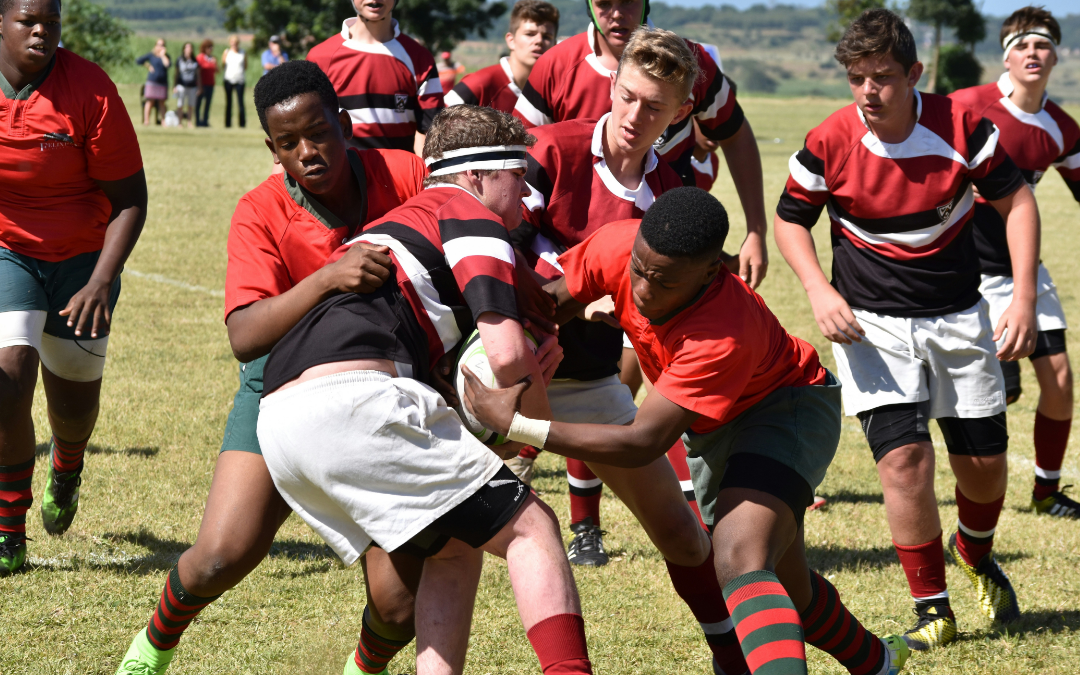
Behind every young athlete chasing their dream is a community that helps them get there. Whether it’s representing their school, competing nationally, or travelling internationally for tournaments, youth sports can open incredible opportunities for growth, discipline, and confidence. But for many families and young athletes in South Africa, the financial costs of pursuing sport can be overwhelming. This is where crowdfunding for youth sports can make a real difference.
Travel costs, equipment, training programmes, competition fees, and accommodation often add up quickly, sometimes placing talented athletes at risk of missing life-changing opportunities. Platforms like BackaBuddy are helping families, schools, and sports clubs raise funds online, allowing communities to support the next generation of champions.
Why Crowdfunding Works for Youth Sports
Youth sport is about more than competition. It’s about community. When a young athlete earns an opportunity to compete at a higher level, people naturally want to support them. Crowdfunding makes it easy for friends, family, coaches, and supporters to contribute in a transparent and organised way.
Crowdfunding works particularly well for sports campaigns because:
The goal is clear and measurable
The athlete’s journey is inspiring
Supporters feel personally invested in their success
Progress can be shared along the way
Many successful campaigns begin with small contributions from a wide network of supporters who believe in the athlete’s potential.
How to Crowdfund for Youth Sports on BackaBuddy
Step 1: Share the Athlete’s Story
Every successful campaign begins with a story. Explain who the athlete is and what makes their journey special. Include details like:
Their age and where they are from
The sport they compete in
Their achievements so far
The opportunity they have been selected for
For example, being chosen for a provincial team, national championship, or international competition can inspire supporters to get behind the campaign.
Step 2: Clearly Explain the Costs
Transparency builds trust. Break down the fundraising goal, so donors understand exactly what they’re supporting. Typical youth sports costs include:
Travel and flights
Accommodation during tournaments
Competition entry fees
Training and coaching costs
Sports equipment and uniforms
Visa or travel documentation for international competitions
Showing the financial breakdown helps donors feel confident about their contribution.
Step 3: Use Photos and Video
Sports campaigns perform well when supporters can see the athlete in action. Include:
Photos of training or competitions
Videos of highlights or achievements
Team photos or medal moments
Visual storytelling allows donors to connect with the athlete’s journey.
Step 4: Start With Your Inner Circle
The first donations usually come from people who already believe in the athlete. Share the campaign link with:
Friends and family
Coaches and teammates
School communities
Sports clubs and supporters
WhatsApp and social media are powerful tools for spreading the message quickly.
Step 5: Encourage Sharing
Crowdfunding works best when the campaign spreads beyond the athlete’s immediate network. Encourage supporters to:
Share the campaign on social media
Send the link to friends or colleagues
Post messages of encouragement
Every share increases the chance of reaching new supporters.
Step 6: Keep Supporters Updated
As the campaign grows, updates help maintain excitement and trust. Share milestones such as:
Reaching 25%, 50%, or 100% of the goal
Preparing for competition
Training updates
Tournament results
Supporters love seeing how their contributions are making a difference.
Youth Sports Campaign Ideas
Crowdfunding can support a wide range of youth sports opportunities, including:
National or provincial team selection travel costs
Each campaign helps ensure that talent and dedication are not limited by financial barriers.
Why BackaBuddy Is Ideal for Youth Sports Crowdfunding
BackaBuddy provides a trusted platform that allows families and teams to raise funds securely while keeping supporters updated on progress.
Key features include:
Dedicated campaign pages for each athlete or team
Real-time donation totals and progress tracking
Multiple payment methods, including card, EFT, debit order, and PayPal
Campaign updates to keep donors informed
A supportive community of donors across South Africa
These tools help athletes focus on their training while the community rallies behind them.
Supporting the Next Generation
Every champion begins somewhere. For young athletes, the journey often starts with a dream, hours of training, and the encouragement of a community that believes in them. Crowdfunding allows the community to play a meaningful role in helping young athletes reach their potential. When supporters come together to fund opportunities for youth sports, they are not just supporting an athlete; they are investing in discipline, confidence, teamwork, and the future of sport. Because sometimes all a young champion needs is the chance to step onto the field.