Crafting an engaging campaign story, creating attention-grabbing social media posts, and reaching out to potential donors effectively via WhatsApp or email are key to the success of your BackaBuddy crowdfunding campaign. If you’re new to using ChatGPT, don’t worry—this powerful tool can help you generate the content you need, provided you guide it with the right information.
ChatGPT is a versatile assistant that can help you write compelling campaign messages, craft social media posts, and even offer advice on promoting your campaign.
Here’s how to get started:
Visit the Platform: Head over to https://chat.openai.com to access ChatGPT. You can also download it from app stores on mobile devices.
Create an Account: If you don’t have an account yet, sign up for free. If you already have one, just log in.
Pick Your Plan ChatGPT offers a free version, but if you need advanced features or more power (like using GPT-4), you can upgrade to ChatGPT Plus
Start a Conversation: Click on the “Message ChatGPT” bar and type in your request or question. Here are a few examples of what you can ask:
“Write a clear and persuasive campaign message.”
“Create engaging social media posts to promote my campaign.”
“Give me advice or strategies for reaching more donors.”
You can use ChatGPT as your brainstorming partner, idea generator, and content helper to maximize your campaign’s success on BackaBuddy.
What is a Prompt?
A prompt is the message or question you give to ChatGPT to help it understand what you need. The clearer and more specific your prompt, the better the response will be. Think of ChatGPT as a friendly assistant—it needs you to explain what you want, and it will generate the text based on your request.
How Does ChatGPT Work?
ChatGPT works by generating responses based on the information you provide. Think of it as having a conversation with a helpful assistant that offers suggestions based on your requests. If the initial response doesn’t fit your needs, you can ask ChatGPT to regenerate a new response or refine it further by asking follow-up questions.
A helpful tip: talk to ChatGPT as you would to an assistant. Be clear and direct about what you need, and it will respond with useful ideas. The more specific you are, the more tailored and accurate the responses will be!
How to Prompt ChatGPT to Write Your Crowdfunding Story
Your campaign story is essential for inspiring people to support your cause. Here’s how you can prompt ChatGPT to write a great story for your BackaBuddy campaign.
Step 1: Gather Your Key Details
Before you start prompting ChatGPT, make sure you have the following details ready:
What are you raising funds for? (e.g., medical expenses, education, sports, community projects)
How much money do you need? (Be specific about the amount and how it will be used)
Who is the beneficiary? (Name, age, and why they need the funds)
Why does this person/cause need help? (Explain the situation that led to the crowdfunding)
What impact will donations have? (How will it change the beneficiary’s life?)
Is there a deadline? (Any time-sensitive events or dates, such as surgeries or school enrolments)
Step 2: Create Your Prompt for ChatGPT
Once you have your details, use them to create a clear and specific prompt. Here’s an example:
Example Prompt:
“Help me write a crowdfunding story to raise R50,000 for Sarah, a 6-year-old girl who needs heart surgery. Her family can’t afford the surgery, and the funds will cover her medical expenses and recovery. Make the tone emotional and heartfelt, and include a call to action asking people to donate and share the campaign.”
Step 3: Review, Regenerate, and Refine
Once ChatGPT provides a draft, read it over and see if it matches your needs. If you don’t like the response, you can ask ChatGPT to regenerate the response to get another version. This is a handy way to explore different writing styles or tones.
You can also ask ChatGPT to make specific changes by typing follow-up prompts, such as:
Next, you’ll need social media posts to promote your campaign. ChatGPT can help with that too—just prompt it with the details and format you need.
Step 1: Gather the Details
Make sure you have the following info ready for social media posts:
What’s the campaign for? (Medical bills, education, community project)
Who is it for? (Brief description of the beneficiary)
Fundraising goal (The amount you’re trying to raise)
(Encourage people to donate or share the post)
Step 2: Create a Prompt for ChatGPT
Here’s how to structure your prompt for different platforms:
– Facebook Prompt:
“Write a heartfelt Facebook post for a crowdfunding campaign to raise R30,000 for a local football team’s trip to a national tournament. Include a call to action asking people to donate and share.”
– Twitter Prompt:
“Write a short and engaging Twitter post asking people to donate R20,000 for Jake’s school fees. Include a call to action and a campaign link.”
Step 3: Review, Regenerate, and Adjust
If ChatGPT’s first response doesn’t feel quite right, ask it to regenerate the response to get a fresh take. You can also provide feedback to adjust the tone or format, like:
How to Prompt ChatGPT to Write WhatsApp and Email Messages
WhatsApp and email are great ways to ask for support directly from friends and family. Here’s how you can prompt ChatGPT to help you write these messages.
Step 1: Gather Your Key Details
Just like for the story and social media posts, you’ll need:
Reason for fundraising (Medical bills, education, etc.)
Fundraising target (The total amount you need)
How donations will help (What the funds will be used for)
Link to your campaign (Your BackaBuddy campaign link)
Step 2: Create a Prompt for ChatGPT
Use this example to prompt ChatGPT for WhatsApp or email messages:
Example Prompt:
“Help me write a WhatsApp message to ask my friends and family to donate to my BackaBuddy campaign to raise R40,000 for Sarah’s heart surgery. Include a call to action asking for donations and shares and mention how their support will make a difference.”
Step 3: Review, Regenerate, and Customise
After ChatGPT provides the message, you can regenerate it or tweak it by asking ChatGPT to make it shorter, more direct, or more personal. You could say:
“Make this message shorter and more direct.”
“Can you make the call to action stronger?”
“Can you make the message more personal?”
Need Advice? Ask ChatGPT for Campaign Promotion Ideas, Strategies, and More
Aside from helping you write campaign messages and posts, ChatGPT can also give you advice and strategies to promote your crowdfunding campaign more effectively. You can ask ChatGPT a wide range of questions to support you through your campaign journey. Here are some examples of how you can use it:
Example Prompts for Campaign Advice:
“What are some creative ways to promote my crowdfunding campaign on social media?”
“Give me a strategy for reaching more donors for my medical crowdfunding campaign.”
“Can you suggest ideas for engaging videos to promote my crowdfunding campaign?”
“What are the best practices for writing an email to potential donors?”
ChatGPT can generate suggestions for social media strategies, video ideas, donor engagement, or even tips on how to improve your campaign’s visibility. You can ask for ideas, regenerate responses if you want more options, or follow up with additional questions to dive deeper.
Final Tips for Prompts:
Be Specific: Always include details like the fundraising goal, the reason for the campaign, and who the beneficiary is when creating your prompt.
Ask for Tone: If you want a specific tone (e.g., emotional, urgent, professional), be sure to mention that when prompting ChatGPT.
Regenerate Responses: If you don’t like the first response, you can regenerate it for a new version or ask for specific tweaks to get exactly what you need.
By guiding ChatGPT with clear, detailed prompts, you can create strong crowdfunding stories, social media posts, direct outreach messages, and even get helpful advice and strategies to maximise your campaign’s success. Remember, you can always regenerate responses, refine them, and keep adjusting until you’re happy. Happy fundraising.
At BackaBuddy, we cherish our diverse donor community and are committed to protecting your trust. To keep our platform secure and transparent, our dedicated team works diligently to verify every crowdfunding campaign before processing payouts and activating charity profiles.
We want you to know that these processes are designed to uphold the values of trust and goodwill. They reflect our commitment to our community, not a judgment on your cause or efforts.
How It Works
When donations come in, they’re safely held in the BackaBuddy bank account until we can verify your campaign and ensure it’s ready for payout. Whenever you’re ready, simply log in and submit your documents.
Just a heads-up: your verification documents will only be reviewed after we receive your first donation. Our team is here for you, so please allow up to 5 working days for feedback on your submission.
How Do I Get My Campaign Verified?
To make the verification process as smooth as possible and to ensure a prompt payout for your campaign, please follow these friendly steps:
Log in to your account.
Navigate to the menu and click on Profile.
Go to My Campaigns, then click the down arrow next to your campaign.
Select Manage Campaign, then click on Verification.
Submit the requested documents and banking details.
What Documents Will Be Requested?
Proof of Identity of the Campaign Creator (choose one of the following):
Identity document
Passport
Driver’s license
Supporting Documentation
Any documents that help clarify your campaign or explain its goals are welcome. Please ensure all submissions are legible and clear. Check out the next section for examples!
Banking Details
Please provide the bank account details where you’d like your funds sent. We’ll need proof of your bank account, ideally dated within the last 3 months.
*Please double-check you are inserting the correct account details.
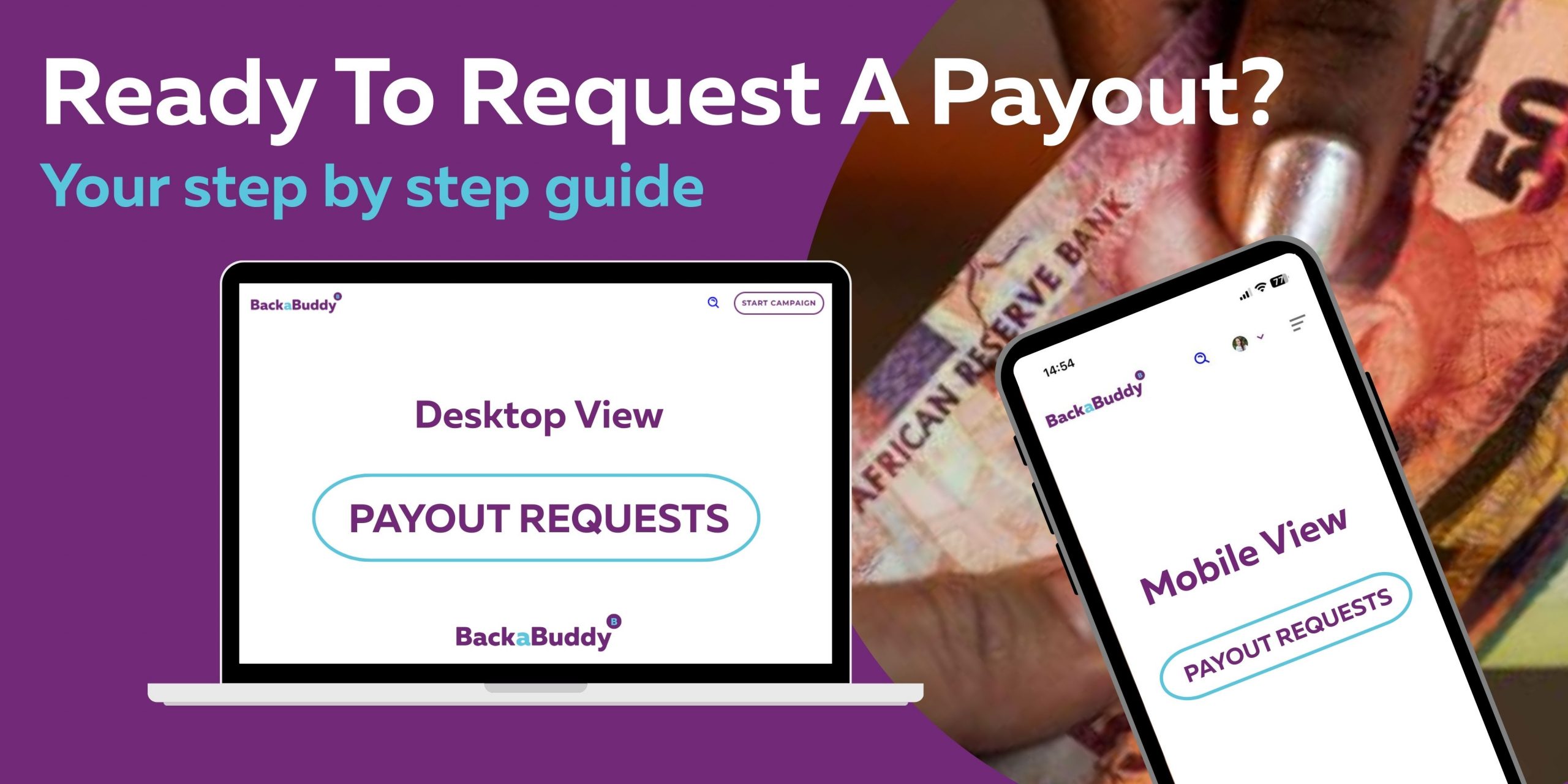
How to Request Payout
Self-Managed Campaigns:
Once your campaign shows the verified badge, you’re all set for payout! When you’re ready, follow these simple steps:
Log in to your profile.
Go to Menu > Profile > My Campaigns.
Click the down arrow next to your campaign > Manage Campaign.
Select Payout Request.
Our finance team will take care of your request and typically requires up to 10 working days to process it.
Blue Tick Campaigns:
If you have a Blue Tick campaign, you’re in luck! It’s immediately eligible for payout. To request it, just follow these steps:
Log in to your profile.
Go to Menu > Profile > My Campaigns.
Click the down arrow next to your campaign > Manage Campaign.
Select Payout Request.
Don’t forget to submit a payout document with your request, such as an invoice, statement, or receipt for reimbursement. Just a little reminder: you can only request one payment at a time, so please wait until the previous one is completed before submitting another.
*Kindly double-check that the account number you have manually inserted matches the account number on the payout document.
Examples of Supporting Documents per category
Individuals
Medical
Doctor’s report
Medical report
Medical aid letter
Pharmacy account
Hospital discharge note
Hospital invoice
In Loving Memory
Death certificate
Funeral home invoice
Fire/Drought/Disaster Support
Fire report
Police report
Invoices for replacing damaged goods
Education
Fee statement
Registration letter
Acceptance letter
Sports
Invitation to the sports event
Letter confirming the intention to attend
Women & Girls
Invoices for items to be purchased
Letter from the organization if partnering
Animals
Vet bill
Invoice from the vet
Creative/Arts
For art conventions (IMTA, iPOP, etc.) – invitation to the event
For equipment (musical instruments/videography equipment) – invoices from the supplier
Food & Hunger
Invoices from suppliers
Receipt for items bought (for reimbursement)
Environment
Permits – depending on the intended use of funds
Invoices for equipment
Children
If clothes are being purchased – invoices for clothing
If for school fees – fee statement per child
If raising funds for a school – a letter from the school principal
Community Development
If partnering with a charity/organization – a letter confirming the intent of the campaign
Invoices for food items to be purchased (pay directly)
Business/App
Business plans
Business registration documents
Budgets
Charities
A valid NPO certificate
Active social media pages (more than 1 year old)
A clear image of the charity/NPO logo
Please remember that any documentation you submit won’t be displayed on your campaign page. However, they play a crucial role in our verification process, ensuring everything runs smoothly.
Crowdfunding with BackaBuddy empowers you to raise funds for any cause by harnessing the power of community support. Whether it’s medical expenses, memorials, adventures, or more, our platform helps you create impactful campaigns. Donations are purely out of generosity, allowing everyone to be part of the solution and drive positive change.
How It Works
Creating a fundraiser on BackaBuddy is simple and free. Set up your campaign, share it with your network, and start receiving donations. There are no time limits or penalties, and you can continue receiving funds even after reaching your target. We vet every campaign to ensure integrity, and for added security to our donors, funds can be paid directly to vendors. Payouts are processed within 10 business days.
Why BackaBuddy?
BackaBuddy offers a fast, legitimate way to raise funds without upfront fees. It’s an alternative to traditional funding, reaching beyond your immediate network. With no repayment clauses, donations go directly to those in need. Donors love the sense of community and belonging.
Watch the video below for more information:
Contact us if you need further assistance:BackaBuddy
Getting your crowdfunding campaign noticed by the media can boost visibility and bring in more donations. By connecting with various outlets, you can expand your audience and improve your campaign’s chances of success.
Here’s a simple guide to help you effectively share your campaign with the media.
Tips for Sharing Your Campaign with the Media
Tell an Interesting Story: Highlight what makes your campaign unique. Media outlets prefer stories that are impactful and relatable. Keep it brief—no longer than a page.
Create a Press Kit: Include a press release, good-quality photos with captions, and a link to your campaign page to make it easy for journalists.
Choose the Right Media Outlets: Focus on local outlets first—they’re more likely to cover community stories. If your campaign has broader appeal, reach out to national or international media. Tailor your approach to what their audience would be interested in.
Reach Out to Local Media: Once your campaign has 10-20 donations and is gaining momentum, contact local blogs, newspapers, radio, and TV stations. A third-person press release with quotes and visuals works best.
Find Media Contacts: Use resources like The South African Government Media Directory (linked below), check the “Contact Us” section of publications, or reach out to journalists on social media.
Personalize Your Pitch: Customize your email for each media contact, explaining why their audience would be interested in your campaign. Avoid bulk emails.
Use Free Tools: Platforms like MyPR and PressPortal are great for free press release distribution and can help you reach a wider audience.
Follow Up: If you don’t hear back, send a polite follow-up email. Persistence can make a difference.
Media Contact List
The government has put together a list of key South African media outlets, categorised for your convenience. Use this list to reach out to the right platforms that can help amplify your campaign:
Your donation has the power to make a meaningful difference in someone’s life, and BackaBuddy is committed to ensuring your contribution is processed smoothly. While our process is usually seamless, occasional issues can arise. This guide will help you troubleshoot any problems, ensuring your support reaches its worthy cause.
Common Issues with Donations
Here are some common reasons why a donation might not process as expected:
Cached Information: Your browser might be using outdated data that could affect the donation process.
Billing Address Mismatch: Ensure the billing address you enter matches the address on file with your credit card company.
Incorrect Security Code: A small error in the security code can prevent the transaction from going through.
Expiration Date Mismatch: Verify that the expiration date you entered matches the one on file with your credit card company.
Inactive Card: New cards that haven’t been activated yet might disrupt the donation process.
Credit Card Declined: Your credit card company may decline the charge for security reasons.
Communication Issues: Temporary issues between your credit card company, the payment gateway, or our site could affect the transaction.
Location Mismatch: Donations from a location different from your card’s billing address might trigger a security alert.
VPN Access: Using a VPN from an unfamiliar location can sometimes cause temporary issues.
Troubleshooting Your Donation
If you experience any issues with your donation, try the following steps:
Verify Payment Status: If you receive a bank confirmation but encounter an error on BackaBuddy, wait 24 hours to see if the donation appears on the campaign page. If it doesn’t, please contact our Support Team with proof of payment.
Retry Donation: If no payment notification is received, try making the donation again using a different device or browser. Clearing your cache and cookies may help. Ensure all details, including the address and security code, are correct.
Contact Support: If the issue persists, contact our Support Team with detailed information and screenshots to help resolve the problem quickly.
Pending Charges: If a failed donation shows as “pending” on your statement, it should be removed within 2-3 business days. If it remains, your bank can assist in removing the pending charge.
Processing Times
Credit card and PayPal donations are usually processed immediately.
Instant EFT donations may take up to 2 business days.
EFT payments might require up to 3 business days due to manual approval.
For EFT payments, please email proof of payment to [email protected].
BackaBuddy is dedicated to ensuring your donation reaches its worthy cause. If you encounter any issues, please reach out to our Support Team for assistance.
To create a successful crowdfunding campaign in the digital age, it is crucial to connect with potential donors through emotive storytelling and engaging visual content. Incorporating a 20-second to 3-minute video into your campaign can be a highly effective way to achieve this.
Studies have shown that a well-crafted video can build an emotional connection with viewers, lend credibility and authenticity to your cause, and increase the chances of raising up to 4X more funds than campaigns without a video.
In this guide, we have compiled a list of 7 essential elements to consider when creating a powerful video for an online fundraising appeal.
Sean Clarke, a Para-athlete from Johannesburg, provides a great example of an effective crowdfunding video. In his campaign to raise funds for James, a teenager in need of a prosthetic leg, Sean created a short yet impactful video introducing James and his life-long struggles.
Structuring your video
Shoot your video Selfie-style. You don’t need to have a professionally shot campaign video to make an impact. Consider using your smartphone’s front camera to shoot a short, authentic selfie-style video to elaborate on your campaign story. It’s all about speaking from the heart, providing relevant background information, and conveying your passion for your cause.
Interview the beneficiary: Conduct a short interview with the beneficiary of your campaign to help lead the conversation. Ask the beneficiary to introduce themselves, explain their challenges, and let potential donors know the impact donations will have on their lives.
John Rodwell from Kwa-Zulu Natal interviewed his homeless neighbour Johan, who was living in a tent. The emotional video captured the hearts of donors who contributed to a Wendy house for Johan and his dog.
Create a slideshow video: If you aren’t comfortable shooting a video, consider creating a slideshow video with images and text to tell the story of your beneficiary and the needs they might have. Consider recording a voice note on your phone that can accompany your video to add a personal touch to your campaign story and keep viewers engaged.
Get inspiration from other skilled storytellers
It’s beneficial to take some time to explore successful crowdfunding campaigns and the inspiring videos campaign creators have made to garner support from the donor community. We can all learn from each other.
Zanele Hlatshwayoran 18 marathons to support SADAG, in honour of her father who took his own life due to depression. Her video captured the clear impact her campaign would go on to create.
Need more examples? Watch as Henry Cock prepares to take on 133 half marathons for suicide prevention, Zolani Mahola backs a campaign to save a little boy suffering from cancer, Trinity Van Beeck introduces her friend who qualified for a chess competition, and Marlene Spies raises funds for a Cochlear Implant with the help of her granddaughter.
Presentation
Before filming your video, keep in mind that you should tell your story in less than 3 minutes to keep your viewers’ attention. Your tone should be warm, hopeful and informal, displaying your personality. Deciding where to film your video is also very important. Choose a well-lit room with a clear backdrop or shoot your video outside in nature. Wherever you decide to film your video, make sure you have as little background noise as possible. Decide what to wear: choose simple, solid-colour clothing and avoid busy patterns or text-heavy designs.
Your crowdfunding story is the foundation upon which you can build an emotional connection with potential supporters and inspire them to donate to your cause.
Introduce yourself and your beneficiary, share the personal connection you have and provide meaningful background information, to build trust with potential supporters.
As best as you can, articulate the tangible needs your beneficiary has, the challenge they are facing, and the positive impact donations will have on them.
Share the defining moment that inspired you to start the campaign and ask viewers to consider donating to your campaign and share it with their wider network.
Be sure to state your campaign timeframe and how the funds will be administered (e.g., paid directly to a supplier or managed through a personal or organizational account). Additionally, include your campaign link in the video description or on-screen overlays to make donating effortless for viewers.
Llewellyn Barnes was a homeless man living on the streets of Pretoria when he qualified for a major golf tournament. In sharing the story of his life, donors learned how his passion for golf got him through many difficult times in his life.
Visual and Sonic Storytelling
While speaking directly to the camera can be effective in introducing your cause to potential donors, incorporating visual aids such as images, text, animations, or music can significantly enhance your campaign’s impact.
Fortunately, there are user-friendly apps such as CapCut, TikTok, Canva and InShot that can help you create professional-looking and creative videos. Additionally, you can make use of the YouTube Audio Library to access royalty-free, copyright-safe production music and sound effects for your video. Include captions or subtitles to ensure your message is understood even when the video is muted. Other free editing tools include Adobe Premiere Rush (free tier), VN Video Editor, and Adobe Express Video.
When Joseph Payne interned for DOCKDA, a charity in Northern Cape, he launched a campaign to purchase bicycles for rural school children. Joseph used a combination of video clips, images, text, and music to beautifully illustrate his story and raise funds for his cause.
Social media
Including a video in your crowdfunding campaign and sharing it on social media can increase your chances of success by 5X, as video posts receive 7X more engagement than static posts. Additionally, videos are more engaging and favoured by algorithms, leading to greater visibility and wider sharing potential.
To further connect with potential donors, consider live streaming on popular platforms like TikTok, Facebook, or Instagram, to promote your cause, answer questions in real-time, and encourage donations. Be sure to promote your live stream beforehand to ensure a larger audience.
How to Upload Your Video to YouTube
Before adding your video link, you’ll need to upload your video to YouTube. Here’s a simple guide:
1. Go to YouTube.com and sign in with your Google account.
2. Click the Create ➕ icon (camera with a plus) and select Upload video.
3. Choose your video file and fill in the title, description, and thumbnail image.
4. Under Audience, select whether your video is for kids or not.
5. Click Next through the steps, and choose your visibility:
Public: Anyone can view it. ( Recommended option).
Unlisted: Only people with the link can view.
6. Click Publish and copy the video link provided.
How to Add a Video to Your BackaBuddy Campaign
Once you’ve created your video, here’s how to add it to your campaign and make sure it appears on your campaign page.
Step 1: Log In and Navigate to Your Campaign
1. Log in to your BackaBuddy profile.
2. Click on the My Campaigns dropdown menu at the top right of your screen.
3. Under the My Campaigns banner, find the campaign you want to edit.
4. Click the purple dropdown arrow on the right-hand side to expand the options.
Step 2: Open the Manage Campaign Section
Click the Manage Campaign button to open the editing view for your campaign.
Step 3: Add Your YouTube Video Link
1. Scroll down to the Campaign Video Links section.
2. Paste your YouTube video link into the box provided.
📌 Important: Only YouTube video links are supported. Other formats will not display.
3. Click Add Link to attach your video.
4. Scroll down to the bottom of the page and click Save.
Step 4: Refresh and Preview
Once saved, refresh your campaign page. Your video will now appear as the first item in your image carousel.
🎥 Note: The video will always display first, and cannot be rearranged — but supporters can still scroll through your images.
Milestones & Updates
Creating videos to update your donors, share milestones, and express gratitude for their support is a powerful way to build trust and engagement, ultimately encouraging additional donations. By showcasing the impact funds raised have created, like this adorable video from Blankets For Baby Rhinos, you can begin building a lasting relationship with your supporters.
Katlego Legotlo who has Cerebral Palsy, was gifted a brand new electronic wheelchair, in a heartfelt moment captured on video, that brought many to tears.
Conclusion
In conclusion, a well-crafted crowdfunding video has the potential to elevate your campaign’s message, convey complex information, reach a wider audience, build a meaningful relationship with donors and inspire them to support your cause.